
Stream and Batch processing
Résumé de section
-
-
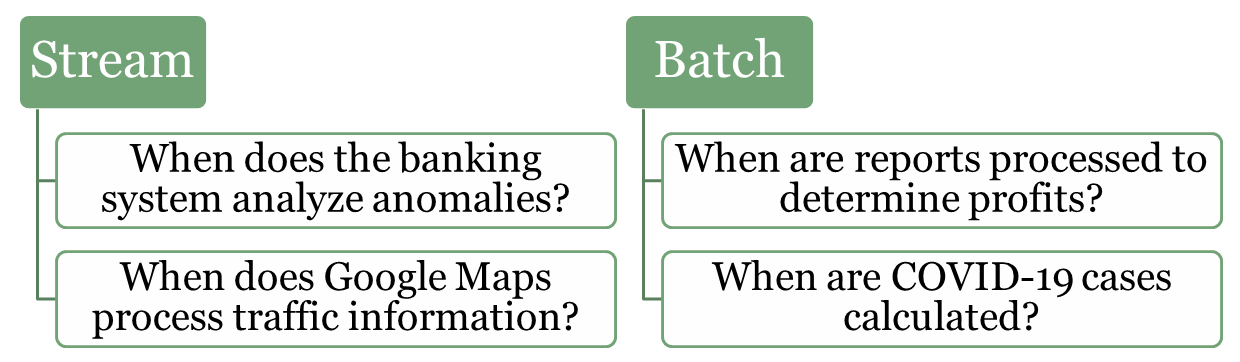
In data processing, stream processing and batch processing represent two fundamental approaches to handling and analyzing data. Both methods are essential for modern systems, but they are tailored for different scenarios and types of workloads. Understanding their differences and use cases is crucial for designing efficient and scalable systems.
-
-
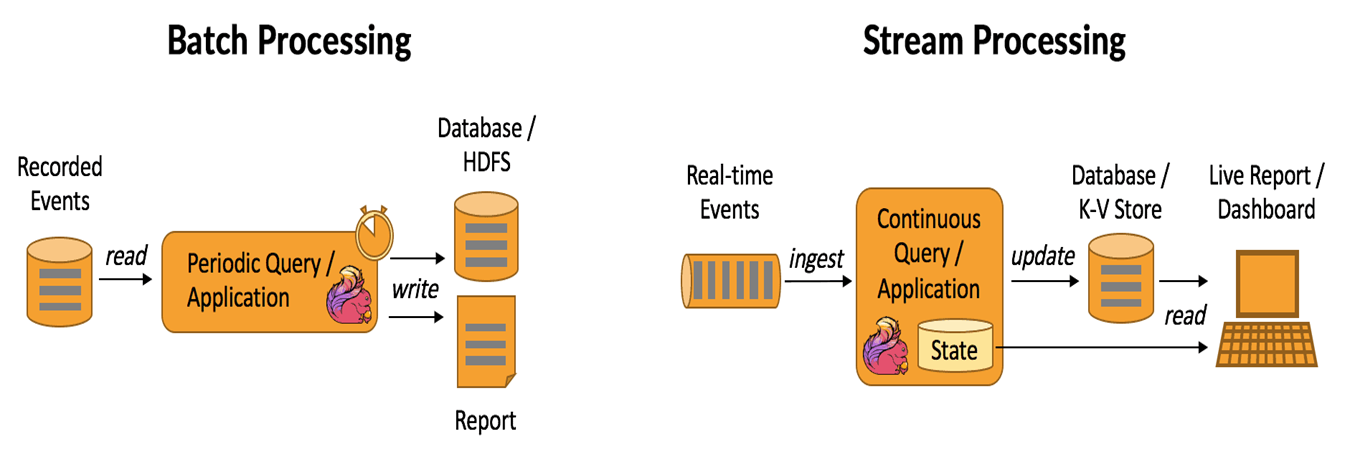
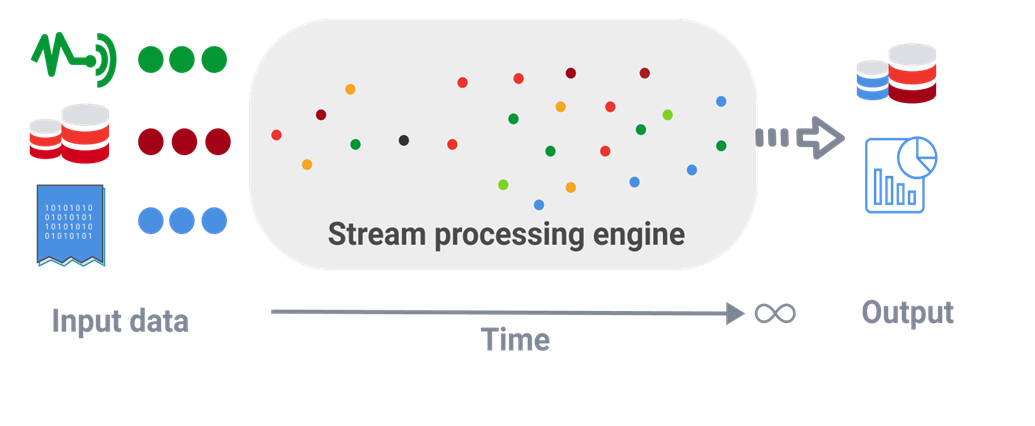
Stream (real-time) processing is a method of continuously analyzing and processing data as it is generated in real-time. Instead of waiting for all the data to be collected, it processes data events one by one or in small batches, making it ideal for scenarios that require immediate insights or actions.
Examples:
-
Fraud Detection in Banking: Identifying unusual patterns in transactions, such as large withdrawals or suspicious account activities, as they occur.
-
Traffic Monitoring (e.g., Google Maps): Analyzing live traffic data from sensors and user devices to provide real-time updates and suggest alternative routes.
-
IoT Systems: Monitoring and reacting to sensor data in smart homes or factories, such as turning off a machine if overheating is detected.
-
Healthcare: Real-time surveillance sends immediate alerts for critical patient conditions
-
-
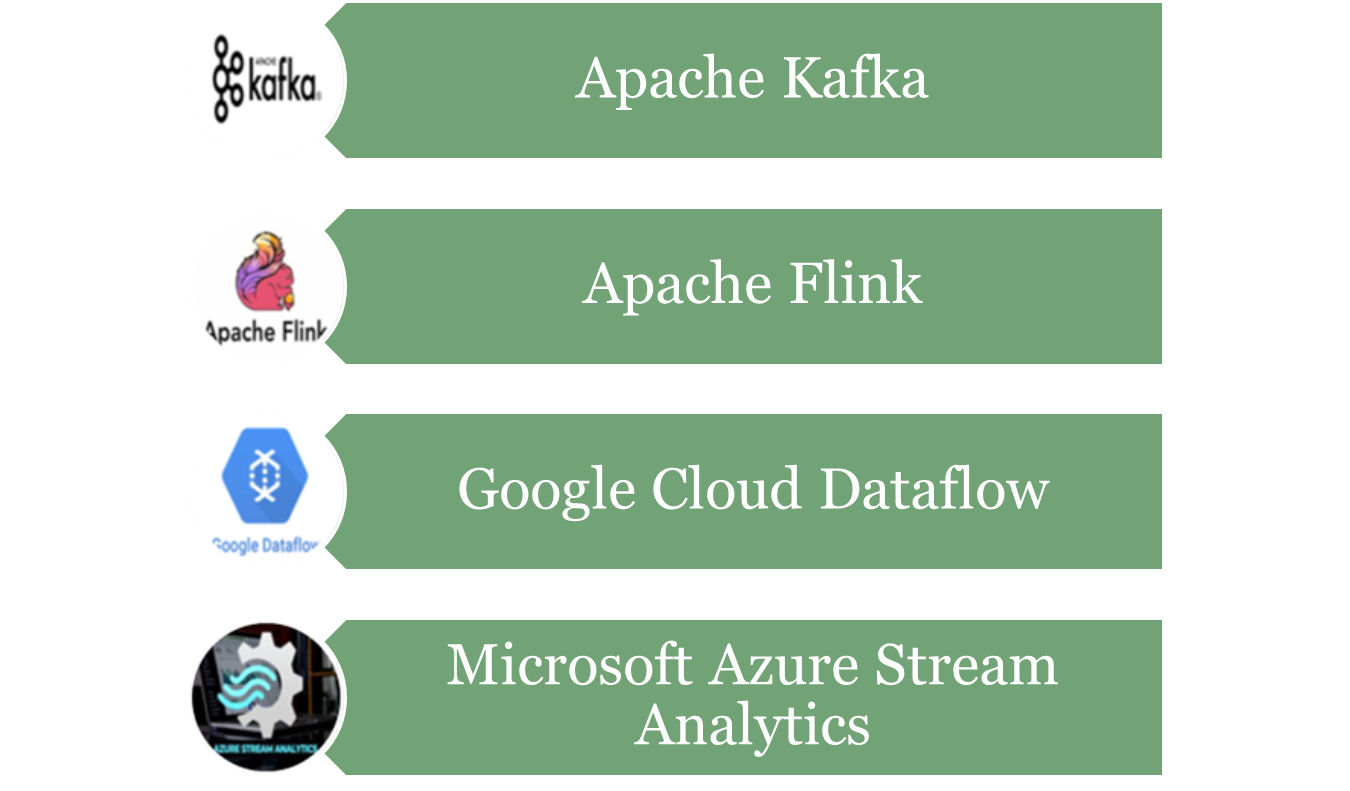
Kafka
-
Apache Kafka is an open-source distributed event streaming platform used to handle high-throughput, low-latency, real-time data streams. It is designed to handle large volumes of data efficiently and allows systems to publish, subscribe, store, and process streams of records (events or messages) in a fault-tolerant manner.
-
Kafka is often used for building real-time data pipelines, streaming analytics, and event-driven architectures. It can handle a variety of use cases, such as log aggregation, real-time analytics, data replication, and more.
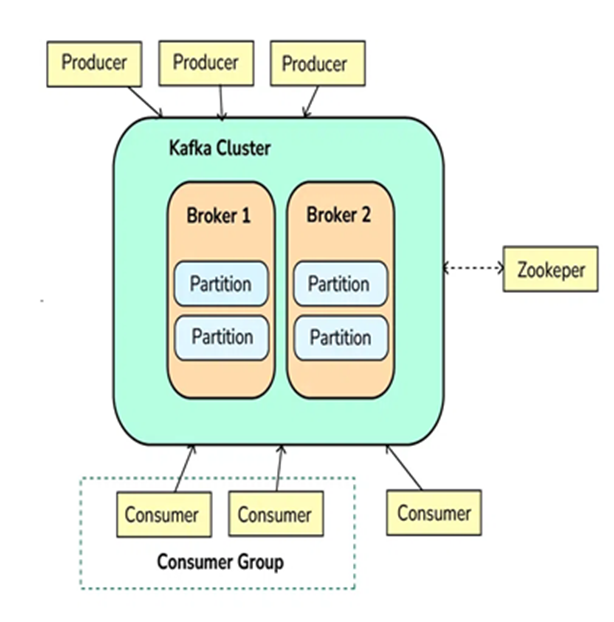
Step 1: Producers Send Messages (Events)
-
Producers are applications or services that send data (events/messages) to Kafka.
-
Producers push data into topics in Kafka, which are logical channels to organize messages. A producer can publish messages to one or more topics.
Step 2: Kafka Brokers Store Messages
-
Kafka brokers are the servers that receive, store, and manage messages.
-
Kafka topics are divided into partitions, which are distributed across different brokers to ensure scalability and fault tolerance.
-
Each partition stores messages in a sequential order, and messages within a partition are given an offset, which is a unique identifier.
Step 3: Kafka Consumers Read Messages
-
Consumers subscribe to topics or specific partitions to consume the messages.
-
Consumers read the messages in the order they were written (based on the offset). A consumer can either read from the latest message or from an earlier offset to reprocess the data.
-
Kafka allows multiple consumers to work in parallel, scaling horizontally.
Step 4: Kafka Zookeeper Coordinates Kafka Cluster
-
Kafka uses Zookeeper (or KRaft mode in newer versions) to manage and coordinate the Kafka cluster.
-
Zookeeper helps track the metadata of topics, partitions, and offsets, and ensures high availability and fault tolerance of Kafka brokers.
Step 5: Kafka Handles Fault Tolerance and Replication
-
Kafka provides replication to ensure that the data is not lost. Each partition of a topic has multiple replicas stored on different brokers.
-
If a broker fails, Kafka will automatically recover and continue functioning by redirecting to replicas, ensuring data durability and fault tolerance.
Step 6: Kafka Provides Real-Time Processing
-
Kafka is commonly integrated with stream processing frameworks like Kafka Streams or external systems like Apache Flink or Apache Spark for real-time data processing.
-
The system processes data in real-time, allowing for quick insights and reactions to incoming data.
-
-
-
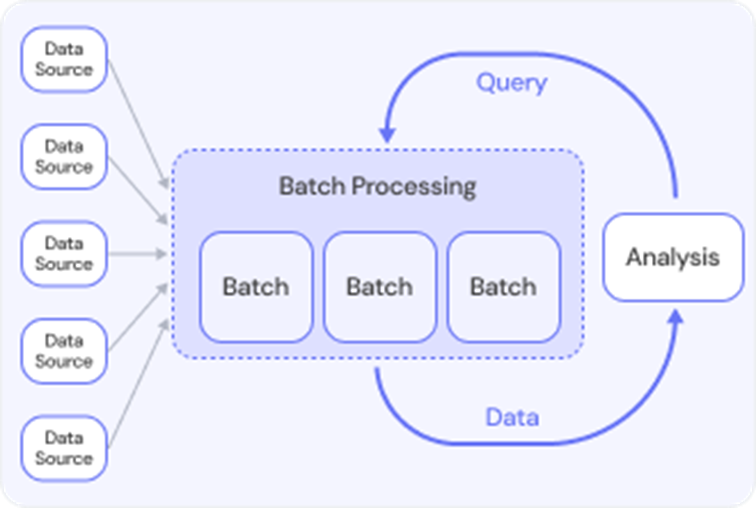
Batch processing refers to the execution of a series of data processing tasks in a group or "batch," rather than processing data in real-time. In batch processing, data is collected over a period of time, stored, and then processed all at once. This method is typically used for tasks that do not require immediate feedback or action, and the processing is done at scheduled intervals (e.g., daily, weekly, or monthly).
-
Batch processing is often used when dealing with large volumes of data, where real-time processing isn't necessary, and the system can offer a delay in getting results.
Exampels:
-
Lab Test Results: When patients receive multiple lab tests, results may be processed in batches at regular intervals. Instead of notifying patients individually as results come in, the system sends batch notifications to patients when all their test results are ready.
-
Payroll Processing: A company has to pay employees every month. Instead of calculating and paying each employee individually, the payroll department processes all employee salaries in a batch, usually at the end of the month.
-
Social Media Post Scheduling: A social media manager schedules posts for a week. Instead of posting content in real time, they prepare and schedule all posts in a batch at once, to be published at specific times.
-
Telecommunications Billing: A telecom company processes call data for its users. Instead of processing each call immediately, the system batches all calls and processes them in bulk for billing at the end of the month.
-
-
-